What is the best software for backing up to LTO tape?
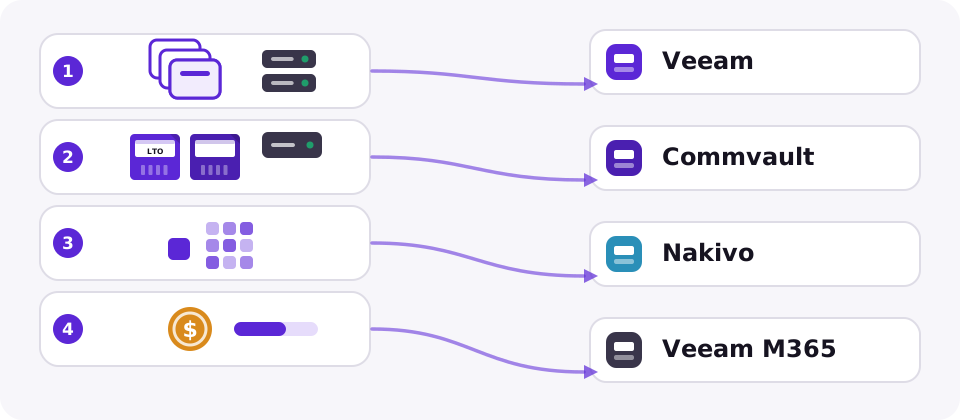
It depends on your estate. Veeam is the usual choice for mostly virtual environments that keep tape as a second copy, Commvault suits large mixed physical, virtual and cloud estates, and Nakivo is a lower-cost option for smaller environments. The finder above narrows it down in four questions.
Do I need backup software to write to LTO tape?
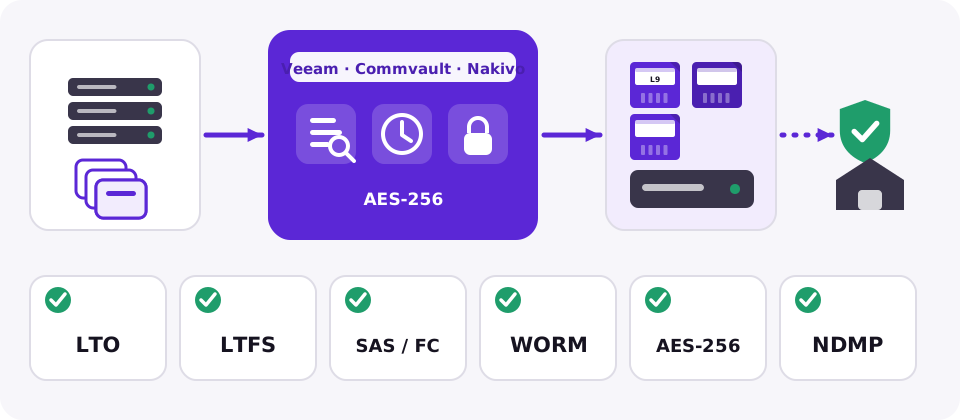
Not for a simple archive. LTFS lets you copy files to an LTO-5 or newer cartridge like a drive, using free tools from the drive vendors. Backup software adds what LTFS lacks: scheduling, a searchable catalogue across many cartridges, verification, retention rules and library control.
Does Veeam back up to tape?
Yes. Veeam Backup & Replication can write backups to tape libraries and standalone tape drives, usually as a second or long-term copy of backups that live on disk. Check that your drive or library and its generation are on the vendor's supported list before you buy.
Can I back up Microsoft 365 to tape?
Not directly. Back up the SaaS data with a tool such as Veeam for Microsoft 365, then copy its repository to tape if you need an offline or long-retention copy.
What should I check before choosing tape backup software?
Check that it supports your LTO generation and your drive or library interface (SAS or Fibre Channel), whether it can write LTFS, how it handles encryption, WORM and offsite media tracking, and how fast and how reliably it can restore from a catalogue. Test a full restore before you commit.
Is there free tape backup software?
Yes. Bacula Community, Bareos and Amanda are open-source backup systems that support tape drives and libraries, and tar with LTFS works for simple jobs. They cost no licence fee, but you build and maintain the catalogue, scheduling and monitoring yourself.